Free Fire Ping Test — Check Ping, Jitter and Fix High Ping
You land the shot first, the enemy drops on your screen, and then the game tells you that you died. Nothing is wrong with your aim — your free fire ping was too high for the server to register it in time. That gap between what you see and what the server knows is ping, and it decides close fights before your reflexes ever get a chance.
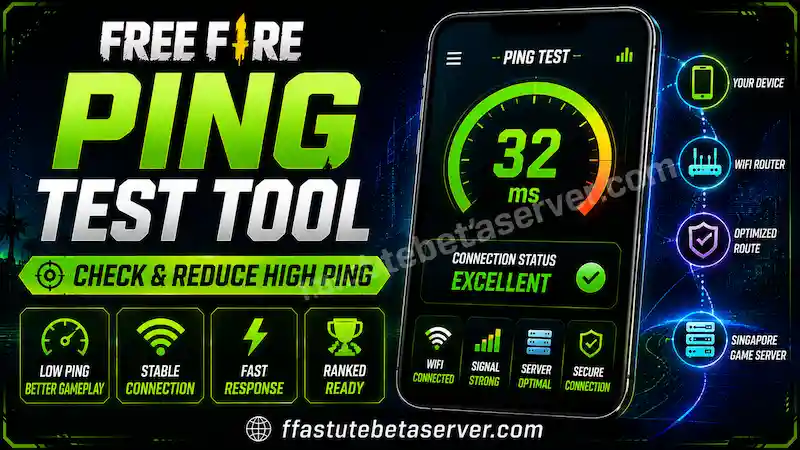
The free fire ping test tool below measures that gap honestly. It times real round trips from your browser to two public CDN edge nodes and reports your median ping, jitter, packet loss and spread in about five seconds — no app to install, no account, nothing uploaded.
Check Your Ping Speed
Real round-trip-time sampling from your browser. No guesswork, no random numbers — 12 timed requests per route, measured live.
performance.now(). Two warm-up requests per route establish DNS and TLS first, so only steady-state latency is counted. Best is the cleanest estimate of your true path latency (queuing can only ever add time). Jitter is the mean absolute difference between consecutive samples — the number that actually causes rubber-banding in-game, even when your ping looks fine. Loss is the share of requests that failed or timed out. Spread is the gap between your fastest and slowest route, which is mostly distance: Garena’s South Asia servers sit in Singapore, so the route that leaves your country always reads higher.
What it is not. Your in-game ping to Garena’s game servers is measured on Garena’s side and can differ by roughly 20–40 ms from these figures, because it travels a different route. Treat this as what it is: an honest reading of how stable YOUR connection is right now. Run it once on Wi-Fi and once on mobile data — the gap between them tells you which one to play ranked on.
Run the test on the phone you actually play on, on the connection you actually play on. Then read the guide below: it explains what each number means, what counts as a good ping, and the fixes that genuinely bring a high ping down — including the DNS, VPN and ping-app advice most players get wrong.
Free Fire Ping Test Tool — Check Ping, Jitter and Packet Loss
This free fire ping test answers three different questions, and most players only need one of them at a time. Some want a number, some want to know why their connection is unstable, and some just want to know whether the problem is their network or their phone.
- How bad is my ping right now? Tap Start test and read the big number. That is your median round-trip time to the nearest edge, which is the most honest single figure your browser can measure.
- Is my connection stable, or just fast? Look at jitter and loss in the chips under the big number. A 45 ms ping with 40 ms jitter loses fights that a steady 70 ms ping wins.
- Is it my network or my device? If the ping test is clean and the game still stutters, the problem is graphics or thermals — run the Free Fire lag fix and device test and compare the two results.
How to Use the Free Fire Ping Test Tool
- Open this page on the phone you play Free Fire on, not on a laptop — different device, different Wi-Fi chip, different result.
- Stay on the connection you use for matches: the same Wi-Fi network or the same mobile data.
- Leave "Samples per route" at 12 — standard is the right balance. Use 8 for a quick check and 24 when you are hunting an intermittent spike.
- Tap Start test and keep this tab in the foreground. Background tabs get throttled by the browser and every number reads worse than reality.
- Read median first, then jitter, then loss. Median is your ping; jitter and loss tell you whether it is stable.
- Run it again on your other connection — Wi-Fi then mobile data, or the reverse — and compare the two in the history chart at the bottom of the tool.
What Each Number in Your Result Means
- Median — the middle value of every timed request. This is your realistic ping, and it is the number the tool grades you on.
- Average — the plain mean. If the average is much higher than the median, a few big spikes are dragging it up.
- Best — your fastest request. It is the cleanest estimate of true path latency, because queuing can only ever add time.
- Worst — your slowest request. If it is three or four times your best, your connection is bursty.
- Jitter — the average change between one request and the next. This is the number that causes rubber-banding.
- Loss — the share of requests that never came back. Anything above zero costs you hit registration.
- Spread — the gap between your fastest and slowest route, which is mostly distance between you and each edge.
What Is a Good Ping for Free Fire?
These are the exact bands the tool grades you with, so the page and the result can never disagree. They describe how the connection behaves in a match rather than the raw number on its own.
| Ping | Grade | What you experience in game |
|---|---|---|
| Under 30 ms | Excellent | Near-instant response; hit registration matches what you see on screen |
| 30–60 ms | Very good | Smooth competitive play; close fights feel reliable |
| 60–100 ms | Good | Playable, with a slight delay when peeking corners |
| 100–150 ms | Fair | Inconsistent hit registration and trades you should have won |
| 150–200 ms | Poor | Enemies appear to teleport short distances |
| Above 200 ms | Very poor | Severe lag and unpredictable fights — do not queue ranked |
Short answer for anyone skimming: under 60 ms is good, under 30 ms is excellent, and above 150 ms you should fix the connection before you enter a ranked match. Anything between 60 and 100 ms is playable and still worth improving if you want to win trades.
Is this free fire ping test accurate?
Yes — it times real round trips with the browser's high-resolution clock and throws away two warm-up requests per route, so DNS and TLS setup never inflate the result. It is a health check on your connection, not a copy of your in-game ping.
Why does my ping look different inside Free Fire?
Different destination. The game talks to a Garena data centre while this free fire ping test talks to the nearest public CDN edge, so the two numbers can differ by roughly 20–40 ms. Compare this test against itself over time instead of against the in-game figure.
What Ping Actually Means in Free Fire
Ping is the round-trip time between your device and the game server. You press fire, your phone sends that input to the server, the server registers the shot, and the confirmation travels back to you. Ping is how long the whole journey takes, measured in milliseconds — and every player in the match is waiting on their own version of that journey.
At 200 ms ping, every action you take reaches the server a fifth of a second late. That is more than enough to lose a fight you mechanically won. At 40 ms the same fight feels instant. Nothing about your aim or your reaction time changed — only the delay.
Garena's servers for this region sit mainly in Singapore and India, so players in Pakistan, Bangladesh, Nepal and Sri Lanka are always connecting across real distance. A baseline of 60–90 ms on a good line is normal here. What breaks fights is not a slightly high ping, it is an unstable one.
Ping vs Jitter vs Packet Loss — What Really Ruins Fights
Ping gets all the attention, but jitter and packet loss decide most close-range duels. The free fire ping test tool shows all three side by side so you can see which one is actually hurting you.
| Metric | What it measures | Good value | What it feels like when it is bad |
|---|---|---|---|
| Ping | Round-trip time to the server | Under 60 ms | Everything happens slightly late |
| Jitter | How much that time changes request to request | Under 15 ms | Rubber-banding, models teleporting |
| Packet loss | Share of data that never arrives | 0% | Shots not registering, gun not firing |
| Bandwidth | How much data flows per second | Above 5 Mbps | Slow loading, textures popping in |
Free Fire does not need much bandwidth — it needs a steady stream. A stable 3 Mbps line beats a 10 Mbps line that fluctuates, because the game sends many small updates rather than one big download. That is why the speed test inside the tool is the second step, not the first: if you still lag with plenty of speed, the cause is latency or jitter, not bandwidth.
What jitter is acceptable in Free Fire?
Under 15 ms is comfortable. Between 15 and 30 ms you will start losing trades in close fights, and above 30 ms close-range duels become a coin toss no matter what your ping reads.
Why is my packet loss not zero?
Wireless links, congested routers and strict firewalls all drop the occasional request. One failed request out of twelve is normal noise; a steady few percent is a real problem worth fixing before you queue ranked.
Free Fire High Ping — What Actually Causes It
Almost every free fire high ping complaint comes from one of five places: your Wi-Fi, your mobile signal, your router's queue, the route your ISP takes to the game region, or the game server itself being busy. Notice that your phone's speed is not on that list — bandwidth is rarely the reason.
That is why "buy a faster internet package" almost never fixes a free fire high ping problem. A 100 Mbps connection with a congested route still reads 150 ms. What changes your ping is the length and quality of the path, and how steadily packets move along it.
Why Your Ping Is High Even With Good Internet
Speed and latency are two different measurements. Speed is how much data fits down the pipe per second; latency is how long one small packet takes to make the round trip. Free Fire only needs a few hundred kilobytes per match, so a 10 Mbps line is already more speed than the game can use.
The usual culprits behind a free fire ping high problem on a fast connection are: something else on your network downloading in the background, a Wi-Fi channel crowded by your neighbours, a router that has been running for weeks, and an ISP route that takes a detour to reach the game region. Each of those shows up in the tool as jitter rather than as a lower speed number.
High Ping in Free Fire Today — Server Problem or Your Connection?
If your ping jumped suddenly and everyone in your squad feels the same thing, the cause is usually the game side: a crowded regional server or maintenance traffic. If you are the only one lagging, it is almost always your connection. That single question separates most free fire high ping today searches from real line faults.
The honest test: run the free fire ping test tool. If your median is normal but jitter is wild, the problem is between you and the internet. If your median itself is far higher than usual — say 120 ms where you normally see 60 ms — and it stays there on both Wi-Fi and mobile data, the route or the server region is the likely cause.
Why is my ping high in Free Fire but fine in other games?
Because other games may use servers closer to you. If a title hosts you locally and Free Fire routes you to Singapore or India, the distance shows up as ping. It is routing, not a broken connection.
Can the Free Fire server itself be the reason for high ping?
Yes. When a regional server is crowded, everyone on it sees higher ping at the same time. If your friends on the same region report the same jump, wait it out or switch region for a match instead of resetting your router again.
Free Fire Ping Problem Solution — 8 Fixes in Order
Work through these in order, and stop as soon as the tool shows an improvement. Most free fire ping problem cases are solved by the first three steps, and every one of them is a real change rather than a rumour.
- Switch between Wi-Fi and mobile data. This is the fastest diagnosis you can make. Test on both and play on whichever gives the lower jitter, not the lower speed.
- Move closer to the router or switch to the 5 GHz band. 2.4 GHz travels further but shares its airwaves with neighbours, microwaves and Bluetooth, which shows up as jitter and loss.
- Close background downloads and cloud backups. Play Store updates, photo backup and video streaming compete for the same wireless link and inflate jitter within seconds of starting.
- Restart the router. Routers accumulate stale connections over weeks, and a restart often drops ping noticeably straight away.
- Change your private DNS. It will not move your packets closer to the game, but it fixes slow server lookups, stuck loading screens and failed logins — the part of a free fire ping problem that is not about distance.
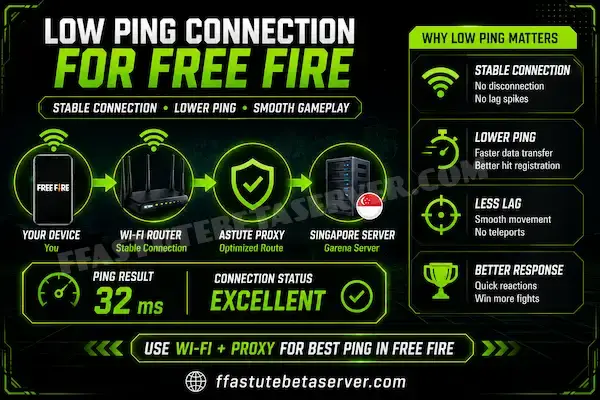
- Try a proxy with a server near the game region. A closer relay is the one thing that genuinely shortens the path, which is why it is the only legitimate "ping fix" product on the market.
- Change your server region in Settings, then compare one match. A less crowded region can beat a closer busy one during events.
- Clear the game cache and rule out device lag. Launch Free Fire fresh, then run the device performance test if your ping reads normal but fights still stutter.
Does restarting the router really help high ping?
Often, yes. Home routers keep long-lived connections and stale NAT entries that stay congested until a reboot. A 30-second restart is the cheapest real fix on this list, especially if the router has been on for weeks.
Does turning off HD voice, Bluetooth or GPS help ping?
Only when those features are actively using the same radio. Bluetooth headphones and active GPS do share the wireless chip on some phones, so turning them off during a ranked session is harmless and occasionally helps.
Free Fire Ping Problem on Wi-Fi and Mobile Data
Which connection is better is not a general truth, it is a measurement for your room, your operator and your time of day. Run the free fire ping test tool twice — once on Wi-Fi, once on mobile data — and trust the result over any advice on the internet.
| Wi-Fi (5 GHz, close to router) | Mobile data (4G / 5G) | |
|---|---|---|
| Typical ping | Often 10–25 ms lower than mobile data | Depends on tower distance and load |
| Jitter | Low unless neighbours crowd the channel | Can jump when the tower is busy |
| Packet loss | Rare, unless the signal is weak | More common during peak hours |
| Best for | Home play, long sessions, stable ping | Anywhere with weak Wi-Fi or a full house network |
| Watch out for | Walls, 2.4 GHz congestion, old routers | Data limits, weak signal, indoor coverage |
One practical rule: if the two results are close, play on Wi-Fi because it does not burn data and is less affected by other people's traffic. If mobile data wins clearly, your Wi-Fi network is the bottleneck and it is worth fixing before blaming the game.
Ping Problem on Jio, Airtel, Zong, Jazz and Other Networks
Mobile networks add their own layer of latency, and a free fire ping problem on mobile data is usually about signal quality and network load rather than the operator's speed claims.
- Check your signal strength and band. If the phone sits on a distant band with one bar, ping and loss both suffer. Moving to a window or outdoors can beat any setting change.
- Force the phone to LTE or 5G where coverage is good. Auto mode sometimes parks you on a slow band because it holds a weaker signal longer.
- Prefer 4G over 5G when 5G coverage is thin. A weak 5G cell with handovers mid-match is worse than a steady 4G cell.
- Reset the APN if the connection misbehaves. A corrupted APN causes failed requests, which the tool reports as packet loss.
- Avoid peak hours on congested cells. Between roughly 8 pm and 11 pm local time the tower is shared with everyone streaming; a Wi-Fi fallback often wins those hours.
Wi-Fi Ping Problem in Free Fire — Router Fixes
A Wi-Fi ping problem is nearly always congestion or distance, not router brand. Two walls between you and the router add both jitter and packet loss, and a single 2.4 GHz channel shared with six neighbours is a lottery every evening.
- Connect to the 5 GHz network when you are in the same room as the router.
- Keep the router off the floor and out of cupboards — height and open air matter more than antenna angle.
- Change the Wi-Fi channel if your router's app shows a crowded one, or use its auto-selection.
- Disable "smart" features that switch bands mid-session — forced band switching causes a visible ping spike.
- Reboot the router on a schedule, and keep its firmware updated, since old firmware handles queues badly.
- Never play ranked on a public or free Wi-Fi hotspot: other users' traffic and captive portals both wreck stability.
Why is my Free Fire ping high on Wi-Fi but low on mobile data?
Your Wi-Fi network is congested — usually other devices streaming or a crowded channel. The fix is band and channel hygiene, or simply playing on mobile data while you sort it out.
Why is my ping worse at night?
Between roughly 8 pm and 11 pm local time home internet and mobile towers are at their busiest as everyone streams. Your line has not changed, the traffic around it has. Play earlier, or switch connection for that session.
Best DNS for Free Fire — Free Fire Ping DNS Code
Almost every free fire ping dns search starts in the same place: someone in a YouTube comment section posts a code like 1.1.1.1 and says it lowers ping. It is worth setting, but you should know exactly what it does before you expect a miracle from it.
DNS is the phone book your connection uses to turn a server name into an address. A slow or overloaded resolver means failed logins, stuck loading screens and slow marketplace pages. A fast resolver makes those steps instant. Neither one shortens the physical distance to the game server.
| DNS provider | Primary | Secondary | Android Private DNS hostname |
|---|---|---|---|
| Cloudflare | 1.1.1.1 | 1.0.0.1 | one.one.one.one |
| Google Public DNS | 8.8.8.8 | 8.8.4.4 | dns.google |
| Quad9 | 9.9.9.9 | 149.112.112.112 | dns.quad9.net |
| AdGuard DNS | 94.140.14.14 | 94.140.15.15 | dns.adguard-dns.com |
| OpenDNS | 208.67.222.222 | 208.67.220.220 | not available as Private DNS |
- On Android open Settings, then Network and internet, then Private DNS.
- Choose "Private DNS provider hostname" and type one.one.one.one for Cloudflare.
- Save, then turn aeroplane mode on and off so the resolver is picked up cleanly.
- On iPhone open Settings, then Wi-Fi, tap the (i) next to your network, then Configure DNS and set it to Manual with 1.1.1.1 and 1.0.0.1.
- Restart Free Fire and run the free fire ping test tool again so you compare like with like.
Does DNS Actually Reduce Ping in Free Fire?
Rarely the in-match number. What a better DNS genuinely fixes is connection setup: faster login, fewer "connecting to server" loops, quicker matchmaking and fewer failed requests that the tool reports as packet loss. Those are real problems, and they are the ones people describe as a free fire ping problem even when their latency is normal.
There is one honest exception: if your ISP's resolver is so slow or unreliable that your phone retries lookups during a match, a good DNS can smooth that out. Set Cloudflare or Google and compare the loss figure in the tool before and after. If loss was already zero, do not expect the ping to move.
What is the best DNS for Free Fire low ping?
Cloudflare (1.1.1.1 / one.one.one.one) is the best starting point for most players in South Asia, with Google Public DNS (8.8.8.8 / dns.google) as a very stable alternative. Test both — on some networks the difference is measurable, on others it is not.
Is using a private DNS safe in Free Fire?
Yes. It is a standard Android and iOS setting and it changes nothing inside the game, so there is no account risk and nothing to ban. Anyone asking you to install a "DNS file" or a patched app instead is selling you something unsafe.
Best VPN for Free Fire Low Ping (and When It Makes It Worse)
A VPN or proxy is the only consumer tool that can genuinely lower ping, because it changes the path your packets take. That is also why it backfires so often: if your ISP route was already direct, bouncing traffic through a VPN only adds a detour.
The rule that decides everything is distance to the relay, not brand. A relay that sits between you and the game region shortens the path. A relay on another continent lengthens it, doubles the encryption overhead and burns battery for nothing. Test with the free fire ping test tool, keep the result only if the median actually improves, and never type your main Garena password into a VPN or proxy app.
Pros
- Lower ping when your ISP route genuinely detours
- Can restore lost packets on a congested path
- Useful on public Wi-Fi for basic privacy
Cons
- Adds latency when your route was already short and clean
- Free VPNs are slow, capped, ad-heavy or sell your data
- Extra battery drain and a few extra megabytes per match
- Some anti-cheat systems dislike constant IP changes mid-session
If you do want to try it properly, start with the setup steps in our Free Fire proxy server guide — it explains how to choose a relay near the game region instead of a random country.
Which is the best VPN for Free Fire high ping?
The one whose relay is physically closest to the game region you play on, not the one with the biggest advertisement. Pick a server near Singapore or India, test with and without it on the same connection, and judge only by the median and jitter in the tool.
Can a VPN get me banned in Free Fire?
A normal VPN does not break game rules, but frequent country changes can trigger security checks on your account, and combining a VPN with modified clients certainly can. If you use one, keep it stable and do not switch regions mid-session.
Best Ping App for Free Fire — Do Ping Booster Apps Work?
Searches for the best ping app for free fire are everywhere, and the honest answer is that most of them do not touch your ping at all. A ping-booster app cannot move your packets closer to the server, cannot change your ISP's route and cannot give your phone priority in a mobile tower's queue.
What those apps actually do is kill background processes, clear caches, and set the phone to a high-performance mode for a few minutes. Some of that is real — a phone with nothing else running does play more smoothly — but it is device optimisation, not latency reduction, and your phone's own Game Mode already does it for free.
- A cheaper copy of the game booster already built into your phone's settings.
- Ad networks and analytics with a gaming icon on top.
- Occasional "network tuning" that changes DNS or MTU settings you can set manually in ten seconds.
- Sometimes a modified client in disguise, which is a genuine ban risk and never worth it.
Are Free Fire Ping Apps Safe to Install?
The safe ones are just utilities. The dangerous ones ask for accessibility, overlay or device-administrator permissions, want your Garena login, or arrive as an APK file from a random download page. Nothing that reduces ping needs any of those permissions.
If a tool claims it can lower your in-game ping to 10 ms without changing your route, it is lying — physics does not work that way. Keep your phone updated, use the settings the game already gives you, and spend your time on the DNS, region and connection checks on this page instead. For legitimately useful Free Fire utilities, the gaming tools collection is the safe place to start.
Is there any app that can actually reduce Free Fire ping?
Only apps that change your network route, which in practice means a proxy or a VPN with a relay near the game region. Everything else is device housekeeping that your phone can already do.
Does clearing cache in a ping app help?
Clearing the game cache can help with stutter and loading, and you can do it yourself from Android's app storage screen. It does not lower latency, so do not expect the in-match ping number to change.
Free Fire Server Ping — Which Server Gives You the Lowest Ping
Free Fire lets you choose a server region in Settings, and the closest region usually gives you the lowest ping. During big events that logic flips: an overcrowded nearby region can deliver worse ping and worse jitter than a slightly further region that is quiet.
| Region | Who it usually suits | Typical ping | Notes |
|---|---|---|---|
| India | Players in India, Pakistan, Bangladesh, Nepal, Sri Lanka | 40–90 ms | The nearest option for most South Asian players |
| Singapore | Players in Indonesia, Malaysia, Vietnam, Thailand | 30–80 ms | Route is long from South Asia but often stable |
| Middle East | Players in the Gulf and neighbouring countries | 40–100 ms | Good option when the South Asian route is congested |
| Brazil and Latin America | Players in the Americas | 40–110 ms | Choose only if you are in the region |
| Europe | Players in Europe and nearby | 50–120 ms | Pick by measurement, not by habit |
Typical ranges move with your ISP's route and with how busy the region is, so use this table as a starting point and confirm with the free fire ping test tool plus one real match. Server names and cities change with game updates, which is exactly why you should trust your own measurements rather than a list you found online.
- Open Free Fire, go to Settings, then the Basic tab, and find the server region option.
- Pick the region closest to you as your baseline, then play one match and note the ping shown in game.
- If lag is worse than your test predicted, try another region for a single match and keep whichever feels steadier.
How to Check Your Free Fire Server Ping in the Game
Free Fire shows a live ping indicator during a match, usually near the mini-map or in the settings overlay depending on your version and display option. That number is the game's own measurement against Garena's server, so it is the one to compare against your region choice.
Use both readings together: the free fire ping test tool for a clean, repeatable measurement of your connection, and the in-game indicator to see how the specific server behaves under match load. If the in-game ping is far above your tool result and jitter is low, the server region is the difference — not your phone or your Wi-Fi.
What is the best ping for Free Fire?
Under 30 ms is excellent, under 60 ms is good and anything under 100 ms is still playable. Below 30 ms you are limited by your own reaction time, not by the network, so chasing a lower number than that is pointless.
Does choosing a different server region with low ping matter more than the region nearby?
Only when the nearby region is crowded. Distance usually wins, but during events or peak hours a quieter region can give a steadier match. Measure one match on each before deciding.
How to Reduce Ping in Free Fire — The Checklist
If you want one page to follow before every ranked session, this is it. Each item below is something you can check in under a minute, and together they cover almost every "how to reduce ping in Free Fire" situation that has a real fix.
- Test your connection first, so you fix the actual problem instead of guessing.
- Play on the connection with the lower jitter — Wi-Fi or mobile data, whichever your test prefers.
- Close background downloads, backups and streaming apps before you queue.
- Keep the phone cool: a hot phone throttles its radio and its processor, and both add delay.
- Restart the router if your network has been up for weeks, and keep the firmware current.
- Set a fast private DNS so logins and matchmaking stop stalling.
- Choose the nearest server region, then verify it with one match.
- Skip VPNs and ping apps unless a before-and-after test proves they help.
How can I get low ping in Free Fire permanently?
You cannot remove physics, but you can remove everything on top of it: a stable connection, a clean route, the nearest server region, no background traffic and a phone that is not overheating. That combination is what low ping looks like in practice.
Free Fire Lag Test — Is It Ping or Your Device?
Not every stutter is a network problem, and treating device lag as ping is why so many players keep resetting routers for nothing. The two feel similar and need completely different fixes.
| What you see | Likely cause | How to confirm | Fix |
|---|---|---|---|
| Delayed shots, teleporting enemies | High or unstable ping | Ping test shows high median or high jitter | Work through the connection fixes above |
| Sudden freeze in crowded fights | Device performance | Ping looks normal, frame time spikes | Lower graphics with the Free Fire lag fix tool |
| Player model rubber-banding | Jitter or packet loss | Test shows loss above 0% | Change connection, move to 5 GHz |
| Game slows after 20 minutes | Thermal throttling | Device test shows throttle by the end of a run | Cool the phone, reduce settings |
| Everything feels late but smooth | Consistent high ping | Test shows a high median on both connections | Change server region, try a nearer relay |
The quick way to separate them: if the free fire lag test in the tool shows a low, steady median, your network is fine and your phone is the bottleneck. If the median is high or jumpy, start with the network. That is why both tools sit on this site — a free fire ping problem and a device problem need opposite fixes.
How do I run a Free Fire lag test?
Test the network with the free fire ping test tool on this page, then test the device with the lag fix tool. One measures latency and stability, the other measures graphics load and heat — together they tell you which side is causing the stutter.
Ping Problem in Free Fire MAX
Free Fire MAX runs the same matchmaking on a heavier client: higher-resolution assets, more particle effects and a bigger memory footprint. Your ping is usually identical to the standard client, but everything that ping delay does to you looks worse, because the device is spending more of its power on rendering.
The result is a ping problem in Free Fire MAX that is actually two problems stacked: a small network delay plus a frame rate that drops in the exact moments you need it. Fix the device side first with the device performance test, then tune the network.
- Run one graphics tier lower on MAX than you would on the standard client.
- Turn off shadows and anti-aliasing before you touch anything else.
- Keep 3–4 GB of storage free; MAX caches more data than the standard build.
- Test on the same server region — MAX does not change your routing.
- If MAX still stutters with a clean ping, the device is the limit, not the network.
Why is my ping high in Free Fire MAX but normal in Free Fire?
Usually it is not the ping at all — MAX is heavier, so low frame rates look like lag. Compare both with the device test; if the render cost is high, that is your answer.
Free Fire Ping Problem on the Beta Server
The beta environment routes traffic through its own proxy, so beta sessions can feel noticeably different from official-server sessions: sometimes better, sometimes worse, depending on where you are and which relay you land on. That is normal and does not mean the connection is broken.
Because beta servers carry fewer players, time-to-match can be longer and the server you land on may be further away. If you mostly play beta, treat it as a separate measurement from your official-server ping and keep your performance expectations realistic during testing.
If you are installing the beta client for the first time, follow the Astute Beta Server APK download page and the install guide, then start with the Free Fire beta testing walkthrough so you know what to expect from a session. Players who cannot get a slot should read the unlock beta server guide, and the redeem codes page is worth checking before every event.
Why is my ping different on the beta server?
Beta traffic takes a different route through its own proxy, and the player pool is smaller, so you may land on a more distant relay. Test it with the same tool and compare like with like — do not judge beta ping by your official-server number.
Test Your Ping Before Every Ranked Session
The free fire ping test tool takes about five seconds to run and can save you an entire match of rubber-banding. Run it once before you queue, and again if your last match felt wrong. One lost match costs rank points that take two or three good matches to win back.
- Median above 120 ms: restart the router, close background apps and retest before you queue.
- Jitter above 30 ms: expect missed hit registration even if the ping number looks fine.
- Loss above 0%: change connection — on Wi-Fi, run the test on mobile data and compare.
- Result close on both connections: play on Wi-Fi, which costs no data and is steadier.
- Clean, steady result: queue with confidence and keep your phone cool between matches.
Checking first is the cheapest habit in Free Fire. It costs you five seconds and it removes the one excuse you can actually control.
How often should I test my ping?
Once before a ranked session, and any time a match feels delayed. Networks change through the day — a connection that was clean in the morning can be congested by the evening.
Frequently Asked Questions
Conclusion
Your connection decides half the fights you think you lost to aim. Test it, read the three numbers that matter — median, jitter and loss — and fix what the numbers actually show. Most players discover their ping was fine and their jitter was the problem all along.
Pair a clean connection with settings your phone can actually hold, and your matches will feel like they used to. Run the free fire ping test before every ranked session, keep the phone cool, and if the stutter survives a clean test, move on to the device and lag fix tool — and a sensitivity you can control, using the Free Fire sensitivity settings tool.